

Blog / Auto News

Tahoe vs. Suburban vs. Traverse: Which Three-Row Chevy Fits Your DFW Family?

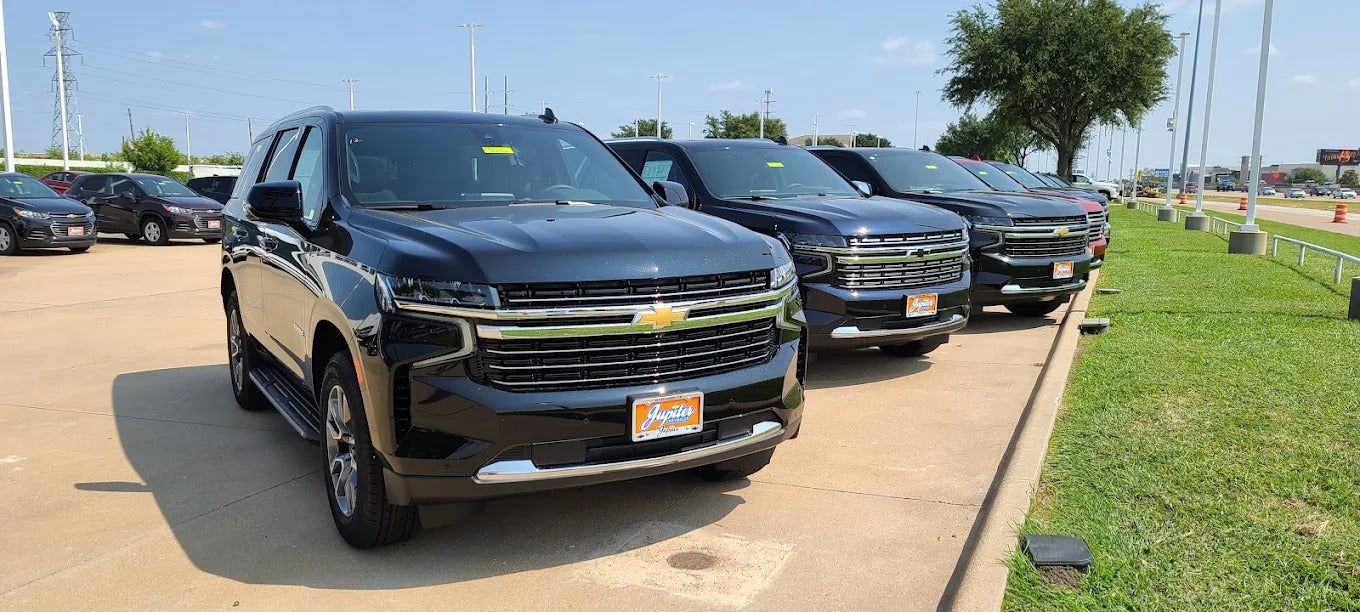
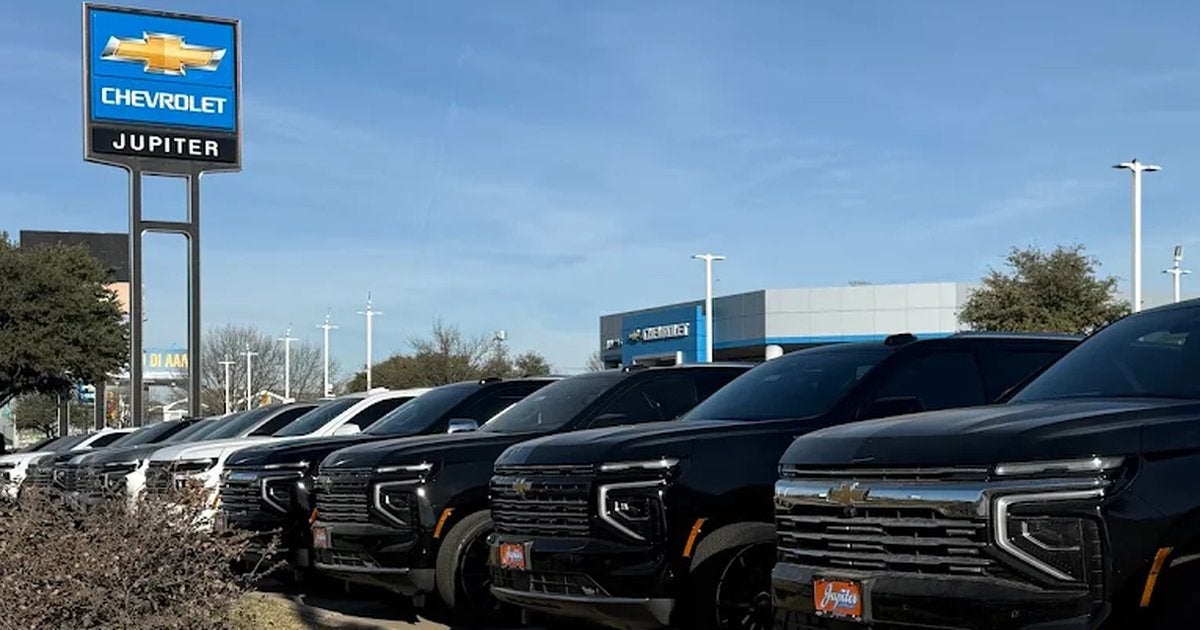
Row of new black Chevrolet full-size SUVs under the Jupiter Chevrolet sign on the dealership lot in Garland, TX


TL;DR

The 2026 Chevy Traverse, Tahoe and Suburban all have three rows, but they solve different problems. The Traverse is the easiest to drive and park day to day and rates best on fuel among the gas models. The Tahoe adds V8 and diesel engine choices on a truck-based platform. The Suburban shares the Tahoe's engines and adds about 15 inches of length, most of it cargo space behind the third row. Jupiter Chevrolet in Garland has all three on the lot to compare back to back.

Most three-row SUV shopping starts with one question: how many seats do we need? It's a fair place to start. It's usually not where the decision gets made.

A lot of families driving a Tahoe aren't filling all three rows every day. They like how it drives, how it sits on I-635 and what it can handle on a weekend trip. Others need every seat, every day, plus room for strollers, sports bags and groceries. And some would honestly be happier in something easier to park.

So this guide starts with daily life in Dallas-Fort Worth: the commute, the school run, the garage and the fuel bill. Then it covers what comes with buying one at Jupiter and what to check on the test drive.

The Short Version: Which Three-Row Chevy Fits Which Family

Start with how you'll use the vehicle most weeks, not the busiest weekend of the year.

  • Mostly commuting and school runs, third row up now and then. The Traverse. It's the shortest of the three, drives the most like a car and rates better on fuel than the gas V8s.
  • You want V8 or diesel power and a truck-based SUV. The Tahoe. Three engine choices in a length most garages can handle.
  • The third row is full most of the time, or you need luggage room with every seat in use. The Suburban. Same engines as the Tahoe, with about 15 more inches of length for cargo.
  • Long road trips with a full load. The Suburban, or a Tahoe with a plan for extra cargo on the roof or hitch.

The 2026 Tahoe, Suburban and Traverse Side by Side

The numbers tell a story most families don't expect. The Tahoe has only a couple more cubic feet behind its third row than the Traverse. The Suburban is the one that changes how much you can carry when every seat is full.


TraverseTahoeSuburban
Engine choices2.5L turbo four-cylinder (328 hp)5.3L V8, 6.2L V8, 3.0L Duramax diesel5.3L V8, 6.2L V8, 3.0L Duramax diesel
Seating7 or 8, depending on trim7 or 8, depending on configurationUp to 9, depending on trim and configuration
Cargo behind third rowAbout 23 cu. ft.About 25.5 cu. ft.About 42 cu. ft.
Maximum cargoAbout 98 cu. ft.About 123 cu. ft.About 145 cu. ft.
Overall lengthAbout 204.5 in.About 211.3 in.About 226.3 in.
PlatformCar-based crossoverBody-on-frameBody-on-frame

Figures are from published 2026 specifications and vary by trim and configuration. Confirm the details on the specific vehicle you're considering.

Buy for Your Normal Week, Not Your Busiest Weekend

If the third row goes up for a carpool once a week or for visiting family a few times a year, any of these three will handle it. In that case, the better question is which one you want to drive and park the other six days.

If the third row is up every day, especially with car seats in the second row, the math changes. Getting kids in and out of the back row, fitting a stroller behind them and still having room for groceries is where the Suburban's extra length earns its keep.

Jupiter General Manager Eric Fussell sees this all the time: plenty of the Tahoe buyers he works with aren't hauling a big family every day. They just like how it drives.

None of this is a knock on big families. It's a reason to be honest about the trade-offs. A bigger SUV costs more to fuel and takes more room to park. If you rarely use the third row, the Traverse or Tahoe may fit your life better than a Suburban, even if the Suburban looks like the safe choice on paper.

Living With Each One in DFW

For daily driving, the Traverse is the easiest of the three. It's built on a car-based platform, it's the shortest of the group at about 204.5 inches, and its 2.5L turbocharged four-cylinder makes 328 horsepower and 326 lb-ft of torque. In a school pickup line, it feels more like a large crossover than a truck.

The Tahoe is about seven inches longer than the Traverse, and the Suburban is about 15 inches longer than the Tahoe. On paper that doesn't sound like much. In practice, it shows up in parking garages, tight neighborhood driveways and older garages around Garland and Richardson.

Before you buy, measure your garage from the inside of the door to the back wall, and leave room to walk around the vehicle with the door closed. A Suburban at about 226 inches is a little under 19 feet long. If you park in a garage at work or downtown, check its posted limits too.

What Each One Costs to Fuel

Among the gas engines, the Traverse comes out ahead. The 2026 Traverse is rated 20 mpg city, 26 highway and 22 combined by the EPA in front-wheel drive, and 20 city, 24 highway and 21 combined with all-wheel drive.

The Tahoe and Suburban with the standard 5.3L V8 in two-wheel drive are rated 15 city, 20 highway and 17 combined. Over a year of DFW driving, that gap adds up.

If you want a Tahoe or Suburban and drive a lot of highway miles, the 3.0L Duramax diesel is worth a look. It carries the best EPA ratings of the three engines offered in the Tahoe and Suburban. Diesel does need diesel exhaust fluid top-offs, so factor that into the cost.

EPA ratings change with drivetrain, trim and wheels. Check the window sticker on the exact vehicle, or compare configurations side by side on fueleconomy.gov.

Tahoe or Suburban: What the Extra 15 Inches Get You

The Tahoe and Suburban share engines, cabins and most features. The real difference is length, and almost all of it goes to cargo space.

  • Behind the third row. About 25.5 cubic feet in the Tahoe versus about 42 in the Suburban. That's the difference between a few duffel bags and a full family road trip.
  • Behind the second row. About 94 cubic feet in the Suburban with the third row folded.
  • Maximum cargo. About 123 cubic feet in the Tahoe and about 145 in the Suburban.

If you regularly fill every seat and still need room for luggage, the Suburban is built for that. If the third row spends most of its time folded, the Tahoe gives you the same engines and the same feel in a shorter, easier-to-park package. Both are built at GM's Arlington Assembly plant here in North Texas.

The Tahoe and Suburban Engines in Plain English

The Traverse has one engine, so this decision only comes up on the Tahoe and Suburban.

  • 5.3L V8 (355 hp, 383 lb-ft). The standard engine and plenty for most families, from daily driving to weekend trips.
  • 3.0L Duramax diesel (305 hp, 495 lb-ft). The pick for drivers who put a lot of highway miles on their SUV and want better fuel economy. Diesel engines aren't eligible for Jupiter's Lifetime Powertrain Warranty, so weigh that too.
  • 6.2L V8 (420 hp, 460 lb-ft). The performance option for buyers who want the most power available.

The Lifetime Powertrain Warranty on a Tahoe, Suburban or Traverse

Eligible new Chevrolet vehicles purchased from Jupiter Chevrolet qualify for the Lifetime Powertrain Warranty through the Jupiter Advantage, including every Traverse and the Tahoe and Suburban with the 5.3L or 6.2L V8. Diesel engines, including the 3.0L Duramax, don't qualify, and neither do Corvettes, EVs or vehicles bought for business or commercial use. It comes at no additional cost and covers major powertrain components for as long as you own the vehicle, subject to the terms, maintenance requirements and exclusions in the written warranty.

There's a difference between getting the coverage and keeping it. Jupiter recommends routine maintenance every 5,000 miles per the signed agreement (with a 7,500-mile option for customers who prefer to follow factory recommendations), and it has to be done at Jupiter Chevrolet in Garland. If you plan to service the vehicle with us, that fits naturally into owning it. If you live farther away or prefer another shop, weigh that before you count the warranty as part of the value.

Full program details are on the Jupiter Advantage page.

Know What's on the Specific SUV Before You Sign

Two Tahoes with the same trim can end up at different totals because they aren't necessarily equipped the same way.

Some vehicles at Jupiter are priced above the manufacturer's MSRP because they include dealer-installed products. Depending on the vehicle, those can include XPEL window tint, wheel locks, vehicle etch or a LoJack security system. That difference reflects actual products added to the vehicle. You should see each one and what it costs before you sign, and certain products can be removed at your request where applicable.

If you're comparing the same SUV at more than one dealership, compare the out-the-door numbers, not just the advertised prices.

Want It Customized? Start Before You Take It Home

A three-row SUV doesn't have to stay exactly the way it came from the factory. Jupiter Custom Shop is on the same Garland campus, and you can pick upgrades as part of your purchase. The work can be done before delivery, during the delivery process or after you take the vehicle home.

For family SUVs, common choices include XPEL window tint, running boards that make climbing in easier for kids and grandparents, wheels and tires, blackout packages and lighting. The team reviews your selections and gives you an expected completion timeline before the work begins. See examples on our Custom Chevys page.

2026 or 2027: Should You Buy Now or Wait?

For these three SUVs, the 2027 changes are limited. The 2027 Tahoe and Suburban get new White Sands paint, package changes and standard heated and ventilated front seats on RST models. The 2027 Traverse gets two new colors, new wheels and an interior camera, with a bigger refresh reported for 2028. If those changes don't matter to you, there isn't a major redesign separating the 2026 and 2027. We cover that model by model in Is a 2026 Chevy Still a Good Buy Now That the 2027s Are Arriving?

How to Compare All Three at Jupiter Chevrolet in Garland

The best way to choose is to bring your real routine to the test drive. Here's what we'd do:

  1. Bring your car seats and install them in the second row, then try getting into the third row with them in place.
  2. Put the third row up and load what you'd carry on a normal weekend: strollers, coolers, sports bags.
  3. Drive the Traverse and the Tahoe back to back, including a merge onto I-635.
  4. Park it in a space like the one at your office or your kids' school.
  5. Look at the EPA label on the exact vehicle and compare the fuel ratings.
  6. Ask what dealer-installed products are on that specific vehicle and what each one costs.

You can browse new Traverse, Tahoe and Suburban inventory in Garland before you visit, or call sales at 972-597-2852 and we'll have the models you want to compare ready.

Frequently Asked Questions

Do I need a Suburban, or is a Tahoe big enough for my family?

A Tahoe is big enough for most families. The two share engines and cabins, but the Suburban adds about 15 inches of length and roughly 42 cubic feet of cargo space behind the third row, compared to about 25.5 in the Tahoe. If every seat is full most days and you need luggage room too, the Suburban is the better fit. Compare both at Jupiter Chevrolet in Garland.

Is the Traverse just a smaller Tahoe?

No. The Traverse is a car-based crossover with a 2.5L turbocharged four-cylinder, while the Tahoe is a body-on-frame SUV with V8 and diesel engine choices. The Traverse is easier to park and rates better on fuel than the gas V8s. Jupiter Chevrolet in Garland has both to drive back to back.

Which three-row Chevy gets the best gas mileage?

Among gas models, the 2026 Traverse rates best, at 22 mpg combined in front-wheel drive and 21 with all-wheel drive, compared to 17 combined for a two-wheel-drive Tahoe or Suburban with the 5.3L V8. In the Tahoe and Suburban, the 3.0L Duramax diesel carries the best ratings of the available engines. Check the window sticker on the vehicle you're considering.

Which Chevy SUV has the most room behind the third row?

The Suburban, with about 42 cubic feet behind the third row. The Tahoe has about 25.5 and the Traverse about 23. If you need to carry luggage with every seat filled, the Suburban is the clear choice.

Will a Suburban fit in my garage?

It depends on your garage. The 2026 Suburban is about 226 inches long, a little under 19 feet. Measure from the inside of your garage door to the back wall and leave room to walk around it. The Tahoe is about 15 inches shorter, and the Traverse is shorter still.

How many people does the Tahoe seat?

The 2026 Tahoe seats seven or eight, depending on whether it has second-row captain's chairs or a bench. The Traverse also seats seven or eight depending on trim, and the Suburban can seat up to nine depending on trim and configuration. Jupiter Chevrolet can show you each layout in person.

Does a new Tahoe, Suburban or Traverse from Jupiter come with the Lifetime Powertrain Warranty?

Yes, with a few exceptions. Eligible new Chevrolets purchased from Jupiter Chevrolet qualify at no additional cost through the Jupiter Advantage, including every Traverse and the Tahoe and Suburban with the 5.3L or 6.2L V8. Diesel engines, including the 3.0L Duramax, don't qualify, and neither do Corvettes, EVs or vehicles bought for business or commercial use. Maintenance has to be done at Jupiter Chevrolet in Garland, and the written warranty terms govern coverage.

Can I add window tint or running boards before I take delivery?

Yes. You can choose upgrades through the Jupiter Custom Shop as part of your purchase and have the work done before delivery, during the delivery process or after you take the vehicle home. Common choices for SUVs include XPEL window tint, running boards, wheels and tires and blackout packages.

Should I wait for the 2027 Tahoe, Suburban or Traverse?

It depends on whether the 2027 changes matter to you. The 2027 Tahoe and Suburban add new paint, package changes and standard heated and ventilated front seats on RST models, and the 2027 Traverse adds new colors, new wheels and an interior camera. There isn't a major redesign separating the 2026 and 2027 for any of the three. Jupiter Chevrolet in Garland can walk you through what's different on the model you want.

Where can I test drive a Tahoe, Suburban or Traverse near Garland, TX?

You can test drive all three at Jupiter Chevrolet on I-635 in Garland. Book online through the test drive page or call sales at 972-597-2852, and we'll have the models you want to compare ready.

Ready to Compare Them in Person?

If you're down to a Traverse, Tahoe or Suburban, the fastest way to decide is to drive them back to back with your own car seats and your own cargo. Tell us which models, trims and engines you want to compare, and we'll have them ready when you arrive. Visit jupiterchev.com to schedule a test drive. You can also browse current new inventory or call sales at 972-597-2852.

Schedule a Test DriveBrowse New Inventory

Disclaimer: This article is intended as a general guide. Specifications are based on published 2026 Chevrolet data as of November 2026 and vary by trim, drivetrain, seating configuration and package. Jupiter Advantage eligibility, coverage, maintenance requirements, exclusions and claims are governed by the written program terms. Vehicle equipment, dealer-installed products and pricing vary by individual vehicle. Confirm current details with Jupiter Chevrolet before making a purchase decision.

About the Author

Eric Fussell is the General Manager of Jupiter Chevrolet in Garland, Texas. He works with Jupiter's sales, service, parts and collision teams to help customers understand their vehicles, their ownership options and the programs that come with buying and owning a Chevrolet in North Texas.

Methodology

Engine output, seating, cargo and dimension figures come from Chevrolet's published 2026 data and third-party specification listings (GM Authority, Kelley Blue Book, Edmunds and Cars.com) as of November 2026. Fuel economy figures are EPA ratings as published for the configurations named. Lifetime Powertrain Warranty eligibility, dealer-installed products and Custom Shop details come from General Manager Eric Fussell. Prices are left out because they change.

Sources & Further Reading

Published: November 23, 2026 | Last updated: November 23, 2026
Posted in:

Related Posts

GM Genuine Parts box and ACDelco oil filters on the shelf in the Jupiter Chevrolet parts department in Garland, TX

Where to Buy Genuine GM Parts Near Dallas (Often for Less Than Aftermarket)

TL;DR You can buy genuine GM parts at the Jupiter Chevrolet parts counter on I-635 in Garland, by phone at 972-864-9725 or through the Order Parts page at jupiterchev.com. On a lot of products, Jupiter's price on the genuine GM part is lower than the aftermarket version. Found a lower price? Bring it by, and if Jupiter can match or beat it with the genuine GM part, it will. Qualifying parts installed by Jupiter's service department are also covered by the One and Done program, every time they fail, for as long as you own the vehicle. Most GM Genuine Parts and ACDelco Gold parts also carry a 24-month, unlimited-mile limited warranty from GM, though coverage depends on the part and who installs it. Most people shopping for a Chevy part do their homework first. They check the parts store down the street, look online, compare a few brands and put the dealer at the bottom of the list, because the dealer is supposed to be the expensive stop. That's the assumption we see corrected at our parts counter all the time. Customers call expecting to pay more for the genuine GM part and find out it costs less than the aftermarket part they were about to buy. And when it doesn't, it's still worth asking whether we can match or beat the price you found. Here's where to buy genuine GM parts near Dallas, what you're actually getting and how to compare prices so you're comparing the same thing. Where to Buy Genuine GM Parts in the Dallas Area Any GM dealership with a parts department can sell you genuine GM parts. In Garland and east Dallas, the Jupiter Chevrolet parts counter is on I-635 at 11611 LBJ Freeway, on the same campus as our sales, service and collision teams. There are three ways to buy from Jupiter: At the parts counter. Walk up with your VIN or part number, and the counter team will look up the exact part for your vehicle. By phone. Call the parts line at 972-864-9725 to find out whether the part is on the shelf and what it costs before you make the drive. Online. Submit a request through the Order Parts page on jupiterchev.com. Calling first is usually the smart move. In one call you'll know whether the part is in stock today, what it costs and whether you need to bring anything with you. The parts counter keeps the same hours as the service department: Monday through Friday 7 a.m. to 7 p.m., Saturday 7 a.m. to 4 p.m. GM Genuine Parts vs. ACDelco, in Plain English GM sells its parts under two names, and it helps to know which one you're looking at before you compare prices. GM Genuine Parts. GM's original-equipment line for Chevrolet, Buick, GMC and Cadillac vehicles. These are the parts GM specifies for your vehicle. ACDelco. GM's other parts brand. It includes original-equipment parts plus Gold and Silver lines, and some ACDelco lines also cover vehicles from other manufacturers. For most owners, the bigger difference isn't the brand. It's fitment. When you buy from a GM dealer's parts counter, the team looks up the part using your vehicle identification number, or VIN. That lookup returns the part number GM lists for your exact vehicle, not just for the model and year. That matters more than it sounds. Two Silverados from the same model year can need different parts depending on the trim, the engine, the options and even mid-year production changes. An aftermarket listing that says it fits a 2019 Silverado may not fit the 2019 Silverado in your driveway. Dealer Parts Often Cost Less Than You'd Expect Here's the part that surprises people. Jupiter keeps a deep parts inventory and prices to compete, so on a lot of common products, the genuine GM part costs less than the aftermarket version. "A lot of shops come to our counter expecting genuine GM parts to cost more, and they find out we're actually cheaper than aftermarket on a lot of products." Eric Fussell, General Manager, Jupiter Chevrolet That quote is about shops, but the same counter serves everyday drivers. Before you assume the dealer is the expensive option, call the parts line with your part number and compare. Found a Lower Price? Bring It By If you find a lower price on a part, bring it by the Jupiter parts counter or call with the part number and the price you found. If Jupiter can match or beat it with the genuine GM part, it will. It's always worth asking, since the genuine GM part often costs less than people expect. If Jupiter matches an aftermarket price, you get the GM part, with GM's warranty, at the price you found. To make it quick: Bring what you found. Have the part number or a link to the listing ready, along with your VIN, so the counter can confirm it's the same part. Jupiter's formal price match is on tires: the 30-Day Price Match on Select Tires, with its own terms on the Jupiter Chevrolet tires page. Four Things to Compare Before You Buy a Part A lower price on the screen isn't always a lower cost once the part is in your hands. Before you decide where to buy, check these four things. Is it the same part? Match the part to your VIN, not just your year, make and model. A cheaper part that doesn't fit costs you a second trip and, if someone else is installing it, extra labor. What's the warranty? GM says most GM Genuine Parts original-equipment parts and ACDelco OE and Gold parts carry a 24-month, unlimited-mile limited warranty. Aftermarket warranties vary by brand and product line, and some are shorter. If two parts cost about the same and one carries twice the warranty, that's part of the price. What's in the box? Some listings leave out gaskets, seals, clips or hardware the job requires. If you have to buy those separately, the lower price may not stay lower. Is there a core charge? Some parts, like alternators and starters, can carry a refundable core charge if you don't return the old part. Ask whether the price you're comparing includes it. The Warranty That Comes With a Genuine GM Part The warranty depends on the part and, in some cases, on who installs it. According to GM: 24 months, unlimited miles. Most GM Genuine Parts original-equipment parts and ACDelco OE and Gold parts. 12 months, unlimited miles. ACDelco Silver parts. Lifetime limited warranty. Certain parts, including shock absorbers, struts, wheel hub bearings, radiators and chassis parts. 3 years or 100,000 miles. Cataloged engines, transmissions and transfer cases. GM also notes that a valid purchase receipt is required to process most warranty claims, so keep yours with your vehicle records. One more detail matters if you're deciding whether to install the part yourself. According to Jupiter's Parts Warranty page, GM's 24-month, unlimited-mile coverage includes labor when the part is installed by a GM dealership. If you'd rather have our service team handle it, you can schedule service online. Have Jupiter Install It: The One and Done Parts Program When Jupiter's service department installs a qualifying part on your vehicle, the One and Done program covers that part at no extra cost. If a covered part fails, bring your vehicle back to Jupiter and it's replaced, every time, for as long as you own the vehicle. Qualifying parts must be $200 or more installed, routine wear items such as filters, fluids, wiper blades, belts and tires aren't included, and coverage doesn't transfer if you sell the vehicle. Ask your service advisor which parts on your repair qualify. When the Part Isn't on the Shelf Jupiter stocks parts in two places. Quick-turn parts that move every day, like brakes, batteries and filters, are kept at the dealership counter. Larger parts, including engines and transmissions, are kept in Jupiter's 40,000-square-foot warehouse. If the part you need isn't in either place, the counter can source it. How to Buy a Part at Jupiter Chevrolet in Garland For most everyday drivers, the simplest path is to call the parts line at 972-864-9725, confirm the part is in stock and pick it up at the counter in Garland. You can also start with a request on the Order Parts page. Jupiter also delivers parts across DFW, mainly for wholesale accounts like independent repair shops and body shops. If you run a shop, our guide to where DFW body shops and mechanics get OEM Chevy parts covers how wholesale ordering and delivery work. Whichever way you order, a few things make the visit faster and help make sure you leave with the right part: Your VIN. It's on the driver's side of the dashboard where it meets the windshield, on the driver's door jamb and on your registration or insurance card. The part number, if you already have it. The old part, if you're replacing something and want to compare it side by side. The price you found elsewhere, if you want to see whether Jupiter can match or beat it. Frequently Asked Questions Where can I buy genuine GM OEM parts near Dallas? You can buy genuine GM parts at the Jupiter Chevrolet parts counter on I-635 in Garland, at 11611 LBJ Freeway. Call the parts line at 972-864-9725 with your VIN or part number to check stock and price, or submit a request on the Order Parts page at jupiterchev.com. Can I get a price match on Chevy parts from a dealership near Dallas? It's worth asking. If you call 972-864-9725 or bring in the part number and the price you found, Jupiter Chevrolet in Garland will match or beat it with the genuine GM part when it can. Jupiter's formal price match program is the 30-Day Price Match on Select Tires. Is it cheaper to buy Chevy parts at the dealer or at an auto parts store? It depends on the part, but the dealer is often less expensive than people expect. On a lot of products, Jupiter Chevrolet's price on the genuine GM part is lower than the aftermarket version. Call the Jupiter parts line at 972-864-9725 with your part number and compare before you buy. What's the difference between GM Genuine Parts and ACDelco? GM Genuine Parts is GM's original-equipment line for Chevrolet, Buick, GMC and Cadillac. ACDelco includes GM original-equipment parts plus Gold and Silver lines, and some ACDelco lines also cover other makes. The Jupiter parts counter in Garland can tell you which line fits your job and what's in stock. Do genuine GM parts come with a warranty? Yes. GM says most GM Genuine Parts OE parts and ACDelco OE and Gold parts carry a 24-month, unlimited-mile limited warranty, and certain parts like shocks, struts and radiators carry a lifetime limited warranty. Coverage depends on the part and on who installs it, so check the terms for your specific part, and keep your receipt, since GM requires it for most claims. Do I need my VIN to buy a part? It's the best way to get the right part. The Jupiter parts counter uses your VIN to look up the exact GM part number for your vehicle, which matters because trims, engines and mid-year changes can call for different parts. Your VIN is on the dashboard, the driver's door jamb and your insurance card. What if the part I need isn't in stock? The Jupiter parts counter can source parts that aren't on the shelf. Call 972-864-9725 to check availability before you make the trip. Will Jupiter install the part for me? Yes. Jupiter Chevrolet's service department in Garland can install the part. When a GM dealership installs a part covered by GM's 24-month, unlimited-mile limited warranty, that coverage includes labor, according to Jupiter's Parts Warranty page. Qualifying parts installed by Jupiter's service department are also covered by the One and Done program, every time they fail, for as long as you own the vehicle. Ready to Check on a Part? If you've got a part to replace, the fastest move is a phone call. Call the Jupiter Chevrolet parts line at 972-864-9725 with your VIN or part number, and we'll tell you what's on the shelf today and what it costs. Found a lower price somewhere else? Bring it with you, and if we can match or beat it, we will. Visit jupiterchev.com to request a part online. If you'd rather have it installed, our service department is on the same Garland campus. Ask which parts qualify for One and Done coverage. Disclaimer: This article is intended as a general guide. Parts availability, pricing and program terms, including One and Done, are set by Jupiter Chevrolet and can change. GM warranty coverage is set by General Motors, varies by part and installer and is governed by GM's written warranty terms. Confirm fitment, stock and pricing with the Jupiter Chevrolet parts counter before you buy. About the Author Eric Fussell is the General Manager of Jupiter Chevrolet in Garland, Texas. He works with Jupiter's sales, service, parts and collision teams to help customers understand their vehicles, their ownership options and the programs that come with buying and owning a Chevrolet in North Texas. Methodology GM Genuine Parts and ACDelco brand definitions and warranty periods come from GM Parts, as published in November 2026. Dealer-installed labor coverage comes from Jupiter Chevrolet's Parts Warranty page. Jupiter's inventory, warehouse, pricing and delivery details come from General Manager Eric Fussell (October and November 2026). One and Done details come from General Manager Eric Fussell (November 2026) and Jupiter's One and Done limited warranty document. Prices are left out because they change. Sources & Further Reading Parts Limited Warranties, GM Parts — warranty periods by part line and the receipt requirement for claims. About Us, GM Parts — the difference between GM Genuine Parts and ACDelco. Parts Warranty, Jupiter Chevrolet — dealer-installed coverage, labor and exclusions. Order Parts, Jupiter Chevrolet — request genuine GM parts online. Where DFW Body Shops and Mechanics Get OEM Chevy Parts — how wholesale ordering and delivery work for local shops. Jupiter Chevrolet Tires — the 30-Day Price Match on Select Tires, Jupiter's formal price match program. Published: November 17, 2026 | Last updated: November 17, 2026

White Chevrolet Suburban Premier on the Jupiter Chevrolet lot in Garland, TX, ready for a Thanksgiving road trip

Driving Out of Town for Thanksgiving? What to Check on Your Chevy Before You Leave

TL;DR Before a Thanksgiving road trip, check your tires (including the spare), battery, brakes, wipers, lights and fluids. Start with tires and the battery: AAA says flat tires, dead batteries and lockouts are its most common roadside calls. Thanksgiving is Thursday, Nov. 26, so aim to book service the week of Nov. 16. At Jupiter Chevrolet in Garland, the 151-point inspection covers that list, and every vehicle entering the service drive crosses a drive-over tread reader. Not due for service? Ask for Jupiter's complimentary pre-road-trip vehicle health check, no oil change required. Last Thanksgiving, AAA Texas expected a record 5.8 million Texans to travel more than 50 miles from home, and nearly 90% of them drove. Plenty of those trips start on I-635 and head down I-35 or I-45 toward family in Austin, Houston, San Antonio or the Hill Country. Some of the most frustrating holiday breakdowns start with problems you could have spotted before leaving home. Here's what to look at before you leave Garland and how to get it done before you hit the road. What Should You Check on Your Car Before a Thanksgiving Road Trip? Start with the most common problems. AAA says its three most common roadside calls are flat tires, dead batteries and lockouts, and AAA Texas expected as many as 29,000 roadside assistance calls in Texas over last year's Thanksgiving travel period. Before a long drive, check: Tires and tire pressure. Check tread depth, visible damage and pressure on all four tires, plus the spare if your vehicle has one. Use the recommended cold tire pressure on the driver's door-jamb label. Battery. A battery that made it through a Texas summer can quit on the first cold morning of the trip. A test shows how much life it has left. Brakes. A loaded car, highway speeds and holiday traffic all ask more of your brakes. AAA suggests having them inspected before a long trip. Wipers and washer fluid. It doesn't rain much here, so worn blades are easy to forget until you hit a storm a few hours from home. Lights. Part of the trip will likely be after dark. Check headlights, brake lights and turn signals. Fluids and leaks. Oil, coolant and the other fluids should be at the right levels, with no new spots under the car. Why Do Tires and Batteries Matter Most in Late November? Late November is when Texas heat damage shows up. Months of summer heat wear a battery down, and the first cold morning is often when it finally quits. Here's why your battery dies in the first cold snap after a Texas summer. Cooler mornings also drop tire pressure, which is why your tire pressure light often comes on the first cold morning. Set your tires to the pressure on the sticker inside the driver's door, not the number on the tire itself, and check them before you drive, while the tires are cold. Don't skip the spare. A flat spare doesn't help anyone on the shoulder of I-35, and some vehicles carry a tire inflator kit instead of a spare. Check your owner's manual so you know what your Chevy has before you need it. What Does Jupiter Check Before Your Road Trip? When your Chevy comes in for service at Jupiter Chevrolet in Garland, here's what gets checked: Drive-over tread reader. Every vehicle entering Jupiter's service drive crosses a scanner that captures tire tread information. Jupiter also performs complimentary tire, alignment and recall checks during service visits. 151-point inspection. Jupiter's Multi-Point Vehicle Inspection covers 151 points. Our technicians check the battery, brakes, tires, wipers, lighting and fluids, look for leaks and do a walk-around. Tire rotation. A tire rotation comes with every oil change. Due for an oil change anyway? Book it before the trip and you'll cover most of this list in one visit. A scheduled oil change typically takes 45 minutes to an hour. Not due for service? Ask for Jupiter's complimentary pre-road-trip vehicle health check. No oil change or other service is required. The team checks battery health, tire condition, alignment, oil life, brake wear, wipers, belts and other key components, then explains anything it recommends and gives you pricing for approval before doing any work. Scheduling an appointment gets you in faster. What If the Inspection Finds Something Right Before Your Trip? Jupiter rates what the inspection finds, so you can see what needs attention now and what can wait. Your battery results also appear on the first page of your invoice. Green. Good to go. Yellow. Attention recommended. Ask your service advisor whether it can wait until after the trip. Red. Needs attention. Take care of it before a long drive. Some fixes can happen the same day. Jupiter keeps a substantial inventory of AGM batteries, so when a battery tests weak, it can often be replaced during the same visit, subject to the correct battery being in stock. That's one more reason to come in a week early instead of the day before you leave. When Should You Book Service Before Thanksgiving? Aim for the week of Nov. 16. Thanksgiving is Thursday, Nov. 26, and coming in that week gives you time to address anything the inspection finds before Thanksgiving travel begins. Jupiter's service department is closed on Thanksgiving Day, Thursday, Nov. 26, and keeps its regular hours the rest of the week. If your Chevy needs to stay, ask about a loaner when you schedule. Jupiter has more than 50 loaner vehicles, and appointments get priority over walk-ins, subject to availability. Here's how loaners, shuttles and concierge pickup work at Jupiter. Can't make it during service hours? Use the 24-hour drop-off and the service team will check your vehicle in the next morning. What to Do Before You Pull Out of the Driveway Pack a small kit. AAA recommends keeping a phone charger, a flashlight with batteries, first-aid supplies and drinking water in the car. Time your departure. For last year's holiday, AAA and INRIX expected the worst traffic on the Tuesday and Wednesday before Thanksgiving, with heavy return traffic Sunday. Know what to do if you break down. AAA advises turning on your hazard lights and staying with your vehicle as long as it's safe to do so. Slow down and move over. Give room to first responders, tow trucks and anyone stopped on the shoulder. Heading out of Garland for Thanksgiving? Schedule your service visit early enough to address anything the inspection finds before you hit the road. Schedule Service at Jupiter Chevrolet in Garland, or call 972-464-1093. Frequently Asked Questions What should I check on my car before driving somewhere for Thanksgiving? Check your tires (including the spare), battery, brakes, wipers, lights and fluids. AAA says flat tires, dead batteries and lockouts are its most common roadside calls, so start with tires and the battery. Jupiter Chevrolet in Garland checks all of these during its 151-point inspection. Can I get a pre-road-trip inspection at Jupiter Chevrolet without needing an oil change? Yes. Jupiter Chevrolet in Garland offers a complimentary vehicle health check, no oil change or other service required. It covers battery health, tire condition, alignment, oil life, brake wear, wipers, belts and other key components. Call the Service Department at 972-464-1093 and ask for a complimentary pre-road-trip vehicle health check. Scheduling ahead gets you in faster. How far ahead should I get my car checked before a road trip? About a week ahead. That leaves time to address anything the inspection finds. With Thanksgiving on Thursday, Nov. 26, aim for the week of Nov. 16. Where can I get my car checked before a road trip near Garland? Jupiter Chevrolet on I-635 in Garland offers a complimentary pre-road-trip vehicle health check, no oil change required, and its 151-point inspection covers the battery, brakes, tires, wipers, lights and fluids. Every vehicle entering the service drive also crosses a drive-over tread reader. Call 972-464-1093 or schedule service online. Do I really need to check my spare tire? Yes. A flat spare doesn't help you on the shoulder of I-35. Check its pressure before you leave, and check your owner's manual to see whether your Chevy carries a spare or a tire inflator kit. Do I need new wiper blades if it barely rains here? That's exactly why they're easy to forget. Blades that sat through a dry Texas summer can streak the first time you hit rain on a long drive. Wipers are part of the 151-point inspection at Jupiter Chevrolet in Garland. What if my car needs work right before I leave town? Schedule ahead and ask about a loaner when you book. Jupiter Chevrolet has more than 50 loaner vehicles, and appointments get priority over walk-ins, subject to availability. Can I drop my car off at Jupiter before work or after hours? Yes. Jupiter Chevrolet in Garland has a 24-hour drop-off. Leave your keys in the drop box with a completed after-hours envelope, and the service team checks your vehicle in the next morning. What's the worst time to leave DFW for Thanksgiving? For last year's holiday, AAA and INRIX expected the most congested roads on the Tuesday and Wednesday before Thanksgiving, with heavy return traffic on Sunday. If your schedule allows, plan around those days. Maintenance needs, tire pressures and equipment such as a spare tire vary by vehicle, model and model year. Always follow your owner's manual. Travel and traffic figures are historical AAA and INRIX forecasts for Thanksgiving 2025, not 2026 predictions. About the Author Eric Fussell is the General Manager of Jupiter Chevrolet in Garland, Texas. He works with Jupiter's sales, service, parts and collision teams to help customers understand their vehicles, their ownership options and the programs that come with buying and owning a Chevrolet in North Texas. Methodology This guide uses historical AAA and AAA Texas Thanksgiving travel forecasts (2024 and 2025), AAA roadside guidance and INRIX traffic timing for Thanksgiving 2025 as reported by AAA Texas. These are past forecasts, not 2026 predictions. Jupiter's service details come from General Manager Eric Fussell and on-record interviews with Fixed Operations Director Jason Ashcroft and technician Noe Ramirez. Sources & Further Reading Record-Breaking Number of Texans to Travel During Thanksgiving, FOX 4 (Nov. 2025) — AAA Texas forecast: 5.8 million Texans, nearly 90% driving, up to 29,000 roadside calls, INRIX peak traffic days. AAA Warns Thanksgiving Travelers to Prepare Vehicles Now, WITN (Nov. 2024) — most common roadside calls, tire and battery checks, emergency kit. Loaners, Shuttles and Concierge Pickup, Jupiter Chevrolet — how you stay on the road during service. 24-Hour Service Drop-Off, Jupiter Chevrolet — how after-hours drop-off works in Garland. Schedule Service, Jupiter Chevrolet — book a service visit in Garland. Published: November 16, 2026 | Last updated: November 16, 2026

Row of new black Chevrolet full-size SUVs with Jupiter dealer plates on the Jupiter Chevrolet lot in Garland, TX

How Do I Remote Start My Chevy From My Phone Before the First Cold Front?

TL;DR If your Chevy is equipped with remote start and has eligible connected services, you can start it from your phone using the myChevrolet app. OnStar Basics is included for eight years with qualifying new retail purchases of 2025 and newer Chevrolets, but available remote commands depend on the vehicle's equipment. Add your VIN in the app to see which controls your Chevy supports. The first real cold front always catches somebody off guard: a fogged windshield, a cold steering wheel and the drive down I-635 still ahead. If your Chevy has remote start, you can get the cabin warming from your kitchen. Plenty of owners have the feature and never set it up. Here's how to check yours and get it working. What Can the myChevrolet App Do for You? The myChevrolet app puts your Chevy on your phone. Controls vary with your vehicle and service plan, but on a properly equipped vehicle Chevrolet lists: Remote start. Tap Start (or Climate on some models), and tap again to cancel. Door locks. Lock or unlock the doors remotely. Vehicle status. Fuel level, oil life, tire pressure and real-time diagnostics. Service. Set a preferred dealer, check for recalls and book appointments. Does Your Chevy Support App Remote Start? Two things decide it: how your Chevy was equipped and which OnStar services it has. OnStar says 2025 and newer model year vehicles automatically receive core OnStar features for 8 years, included with a new retail purchase in the U.S. GM calls the package OnStar Basics, and it includes app remote start, door locks, on-demand diagnostics and status alerts on equipped vehicles. Own a 2024 or older Chevy? Don't assume it won't work. OnStar says some services on older vehicles require a paid plan, and what's available depends on the vehicle's equipment. Add your VIN in the app and see which controls appear. How Do You Set Up the myChevrolet App? Download myChevrolet from the App Store or Google Play. Sign in or create your account with the same email address you gave your dealer at purchase. Chevrolet says that's how the vehicle syncs to your account. Add your vehicle. Tap the Account icon (your initials), choose Add Product, then Add Vehicle and enter your VIN from your registration or insurance card. Look for the Start and Lock controls, then test them. Try them while you're near the vehicle. If a command doesn't work, check your connected-services status or contact OnStar. Call OnStar at (877) 558-8352 if the VIN won't add. Chevrolet says this happens when the vehicle isn't activated or is linked to another account. How Should You Use Remote Start on Cold DFW Mornings? Remote start works best as a short warm-up: take the chill off, clear the glass, then drive. Start it a few minutes before you leave. Your owner's manual explains how long remote start runs. Set the temperature from the app. On some models, the Climate control adjusts cabin temperature before you get in. Only start it outdoors. Never remote start in a closed garage. Notice a slow start. The first cold snap is when a tired battery shows up. Every Multi-Point Vehicle Inspection at Jupiter includes a battery health test. What If the App Won't Connect? OnStar says Basics is activated during OnStar enrollment at your dealership, where you agree to the OnStar terms. For how delivery works at our Garland store, see what to expect during the car buying process at Jupiter Chevrolet. There are two different problems here, and they have different fixes: Your Chevy won't show up in the app. Start by checking your account and vehicle activation. Chevrolet says this usually happens when the vehicle isn't activated or is linked to another account. Sign in with the email you gave your dealer at purchase and add the vehicle by VIN. If it still won't add, OnStar Advisors at (877) 558-8352 handle activation and account issues. Your Chevy shows up, but remote start doesn't work. Check the connected-services plan, vehicle conditions and signal availability. GM says its connected services need an active service plan, a working electrical system, cell reception and a GPS signal, so a weak battery or a parking spot with no cell signal can stop a command. Your owner's manual also lists conditions that keep remote start from running. How Does Jupiter Chevrolet Help You Set Up the App? At Jupiter Chevrolet in Garland, you don't have to figure out the technology on your own. Every customer gets the myChevrolet app and OnStar set up at delivery, before they leave the lot. Your sales rep presses the blue OnStar button with you, walks you through the welcome call and helps you set your PIN and Wi-Fi password. They also cover the safety features, including roadside assistance and SOS emergency calls. In the myChevrolet app, your rep shows you remote access, vehicle diagnostics, recall alerts, fuel level, tire pressure and maintenance reminders. They'll also explain how My Rewards points work, so you can use them on future service visits and on accessories when you buy. If there are other Chevys in your household, we'll help you set those up too, so everyone in the family has the same safety features. And the help doesn't end at delivery, or at our lot. Any Chevrolet owner is welcome to stop in, whether you bought from Jupiter or somewhere else. Our sales or service advising team will go through your OnStar features, infotainment system and myChevrolet app with you, so you know everything your vehicle can do. Once it's working, set Jupiter Chevrolet as your preferred dealer so booking service takes a couple of taps. Add your VIN this week and try remote start on a mild morning, so it's ready when the cold front shows up. If the first cold morning also brings slow cranking or a battery concern, Jupiter Chevrolet's service team can check the battery as part of its Multi-Point Vehicle Inspection. Schedule Service at Jupiter Chevrolet in Garland, or call 972-464-1093. Frequently Asked Questions Is remote start free in the myChevrolet app? On 2025 and newer Chevrolets bought new at retail, OnStar Basics includes app remote commands for eight years on vehicles equipped with remote start. On 2024 and older Chevys, OnStar says some services require a paid plan. The quickest way to check is to add your VIN in the myChevrolet app and see which controls appear. What is OnStar Basics? OnStar Basics is the set of core OnStar features included for eight years with qualifying new retail purchases of 2025 and newer GM vehicles in the U.S. OnStar lists Automatic Crash Response, remote commands like remote start, navigation and audio streaming apps. What your Chevy gets depends on its equipment. Can I use the myChevrolet app to remote start an older Chevy? It depends on how your Chevy was built and which OnStar plan it has. App remote start needs a properly equipped vehicle and a plan that supports it. The quickest check is adding your VIN in the myChevrolet app. If the controls don't appear, an OnStar Advisor at (877) 558-8352 can tell you what your vehicle and plan support. Who can help me get the myChevrolet app working on my Chevy? Start in the app: sign in with the email you used when you bought the vehicle and add it by VIN. If it won't connect, OnStar Advisors at (877) 558-8352 handle activation and account problems. Once it's set up, choose Jupiter Chevrolet in Garland as your preferred dealer to book service from the app. Can someone at a Chevy dealer near Garland help me set up the myChevrolet app? Yes. Jupiter Chevrolet in Garland helps any Chevrolet owner set up the myChevrolet app and OnStar, whether you bought from Jupiter or somewhere else. Stop in and our sales or service advising team will go through your OnStar features, infotainment system and myChevrolet app with you. If you buy from Jupiter, your sales rep sets all of this up with you at delivery. Why won't my Chevy show up in the myChevrolet app? Usually the vehicle isn't activated or is linked to a different account. Sign in with the email you gave your dealer at purchase, then add the vehicle by VIN. If it still won't add, call an OnStar Advisor at (877) 558-8352. My Chevy shows up in the app, but remote start won't work. Why? If the vehicle is in your account, the issue may involve the connected service, vehicle conditions or signal availability. GM says connected services need an active service plan, a working electrical system, cell reception and a GPS signal. Check your plan status in the app and your owner's manual for conditions that block remote start. If it still fails, contact OnStar, and if you suspect a weak battery, Jupiter Chevrolet in Garland tests the battery during every Multi-Point Vehicle Inspection. Connected features, plan terms and eligibility are set by GM and OnStar. They vary by model, model year and equipment and can change. Check the myChevrolet app and your owner's manual for your specific vehicle. About the Author Eric Fussell is the General Manager of Jupiter Chevrolet in Garland, Texas. He works with Jupiter's sales, service, parts, and collision teams to help customers understand their vehicles, their ownership options, and the programs that come with buying and owning a Chevrolet in North Texas. Methodology This guide uses Chevrolet, General Motors and OnStar information on the myChevrolet app, OnStar Basics, remote commands and enrollment, current as of November 2026. Connected features vary by vehicle, equipment, model year and service plan, so check the myChevrolet app for your own vehicle. Jupiter's delivery and owner-setup details come from Eric Fussell, General Manager, in November 2026. Sources & Further Reading OnStar Basics for 2025 and Newer Vehicles, OnStar — 8 years on 2025+ model years, new retail purchase, dealership enrollment. All 2025 Vehicles Now Come With OnStar Basics, OnStar — remote start, door locks and health status through the app. OnStar's Most Popular Features Are Now Standard in All 2025 GM Vehicles, GM (Feb. 2, 2024) — package name, eight-year retail term, included remote commands. Vehicle App, OnStar — some services require a paid service plan. Send Remote Commands, Chevrolet — remote start, cancel and climate controls; equipped vehicle and active plan. How to Use myChevrolet Mobile App, Chevrolet — setup steps, VIN, OnStar Advisor number. myChevrolet App, Chevrolet — diagnostics, tire pressure, fuel, oil life, service scheduling. Schedule Service, Jupiter Chevrolet — book a service visit in Garland. Published: November 11, 2026 | Last updated: November 11, 2026